

Subcribe to our RSS feeds Join Us on Facebook Follow us on Twitter Add to Circles
Showing posts with label Tips. Show all posts

Sunday, 10 August 2014

Easily Make Money Online for Free


What is AdFly ?

AdFly is an advertising website that enables you to shrink long Website Addresses or URLs , into short URLs, and share with friends or to your website.


When someone clicks on this links , the website shows them an Advertisement for 5 seconds and then finally directs them to the intended destination of the URLs. 
The web addresses or URls can be anything , from links to popular music songs, popular websites, popular pictures etc.

Getting Started With AdFly...

Earning Money online using Adfly is really Easy , all you need to do is to register and account, find links to popular content and share links to Facebook, twitter, google plus etc. 
The procedure is outlined below. 

1. Register for an Account with Adfly – Click Here 
2. Verify your Email Address and Log in to the Website. 
3. Find Links to popular content such as trending news, trending photos etc, Shorten the links using adfly.


4. Finally copy the links and share them with Friends on social networks.


Easy Ways and Tricks to Earn more with AdFly

Earning money with Adfly is incredibly easy , and while there exists different methods people can use, the following are the guaranteed methods to help you easily earn money online using Adfly 

  • Start a Free Blog Using Blogger : Here you can start a free blog with blogger, e.g a movies site, music site, pictures site etc and then Placing your links on the Blog . Afterwards you can share your blog, and the more people view and click on the Links, the more you earn. 

  • Upload YouTube Videos : This is the most easy to use method with guaranteed traffic. Simply download and re upload trending you tube videos, and in the Description, place your Adfly link with some text e.g “download this song by clicking..” . Soon you will get lots of Traffic. 

  • Social Networks : Share your links on Facebook pages, twitter and google plus . When people click , you earn money. 

  • Photo Sharing Sites : Share your links to photo sharing sites e.g Pinterest, Imgur and even instagram . If your photos are cool , guess what ? people will click on your links and you will Earn money.

How Much Can one Earn Using Adfly ?

While rates differ depending on countries, Adfly does pay you $1 per 1000 clicks to your links . so if you get 10,000 clicks, that is around $10 for free. 

While 10,000 clicks may seem more ? do not let it discourage you , if you successfully implement the above tips and tricks of getting more clicks with Adfly, you can easily attain more than 10,000 clicks.

Adfly Payment Methods

Currently, Adfly supports both paypal and Payoneer for payments and you can get daily payments provided you achieve a minimum $5 amount in earnings.

Register for Adfly and Start Earning Money Online

With that said , it is time to make money online. Get started by clicking on the Link below to get started using AdFly or simply Click here.

Click to join AdFly to easily earn money online.

Monday, 4 November 2013

How to Speed Up IDM Download Speed


1. How to Change Settings First IDM (Internet Download Manager)
1. පලවෙනි ක්‍රමය

The steps are:
මෙන්න කරන විදිය:

1. Open Internet Download Manager -> Downloads -> Options
1. Internet Download Manager එකේ --> Downloads වල -> Options කියන එකට යන්න.


2. Go to Connection tab.
2. ඒක Connection කියන tab එකට යන්න.


3. Then change the "Default max. conn. number " from 8 to 16.
3. ඊලග පියවර විදියට "Default max. conn. number " කියන එක 8 සිට 16 දක්වා වැඩි කරන්න.


------------------------------------------------------------------------------------------------------------------------------------- 

2. Changing the Number of Decimal Registry on Internet Download Manager
2. මෙන්න දෙවනි ක්‍රමය.

The steps are:


1. Open the Registry settings, (Win + R and Type regedit )
1. Registry settings වින්ඩෝව විවෘත කරගන්න. ( Win + R ඔබලා regedit කියලා ටයිප් කරලා ok කරන්න. )


2. Then go to "HKEY_CURRENT_USER -> Software -> Download Manager." Then look at the right pane, find the string that reads "Connection Speed"
2. ඊලගට  "HKEY_CURRENT_USER" කියන එකේ -> "Software" වල  -> "Download Manager" කියන එකේ "Connection Speed"  කියන එක ක්ලික් කරන්න.


3. Then double-click on a String "Connection Speed" and Change Setting Base to "Decimal". 
3. දැන්  "Connection Speed" කියන එක ඩබල් ක්ලික් කරලා එන වින්ඩෝ එකේ Base කියන Setting එක "Decimal" කියන එකට මාරු කරන්න.


4. Then fill in the number '2576980377'on the blank column.
4. ඊලගට ඒකේ "Value Data" කියන තැන '2576980377' කියලා වෙනස් කරන්න.


දැන් වැඩේ හරි.... දැන් මේ යට තියෙන Like Button එක press කරලා Like එකකුයි Comment එකකුයි දාන්න.......

Tuesday, 22 October 2013

How to add Windows 7 menu to Windows 8

Windows 8 වලටත්, Windows 7 startmenu එක දාමු.!

මේ වෙනකොට ගොඩක් දෙනෙක් පාවිච්චි කරන්නේ windows 8. ඒත් සමහර අයට windows 8 එපා වෙලාලු...මොකද ඒකෙ Start button එකක් හොයාගන්නවත් බැරි නිසා..... එක නිසා ඔන්න මගේ ලග තියෙනවා පොඩි ගැජට් එකක්...මේකෙන් පුළුවන් අර windows 7 , xp වගේම Start button එකක් අරගන්න...


windows 7 වල නම් මෙහෙමයි.


කරන්න තියෙන්නේ මෙන්න මේ ගැජට් එක Download කරලා දා ගන්න විතරයි. (4.5MB)


Download

click to begin

5.64MB .zip


Tuesday, 24 September 2013

Make Your Own Antivirus with 3 Steps


The main functioning of Antivirus is to detect and remove harmful or unwanted files which may slowdown your computer and windows. But if you don’t have enough time to download any best antivirus. Then simply use this trick to make your own antivirus.
This antivirus scan by using command prompt and delete unwanted files automatically.


1. Open your Notepad and paste this given code 

@echo off
title Antivirus
echo Antivirus
echo created by TOXIC Net
:start
IF EXIST virus.bat goto infected
IF NOT EXIST virus.bat goto clean
cd C:\Windows\system32
:infected
echo WARNING VIRUS DETECTED!
del virus.bat
pause
goto start
:clean
echo System secure!
pause
exit


1. Now save your file with Computerfreaks.bat.

2. Now copy that file to place that you want to scan and run your saved files automatically scan starts.


If You Have A Problem Please Leave a Comment....


1. නෝට් පෑඩ් එක ඕපන් කර මෙම කෝඩ් එක එහි ටයිප් කරන්න.

@echo off
title Antivirus
echo Antivirus
echo created by TOXIC Net
:start
IF EXIST virus.bat goto infected
IF NOT EXIST virus.bat goto clean
cd C:\Windows\system32
:infected
echo WARNING VIRUS DETECTED!
del virus.bat
pause
goto start
:clean
echo System secure!
pause
exit


2. දැන් එම ෆයිල් එක Computerfreaks.bat ලෙස Rename කරන්න.

3. එම ෆයිල් එක ඔබට ස්කෑන් කිරීමට අවශ්‍ය තැනට පේස්ට් කර Run කරන්න එවිට ස්වයංක්‍රීයව ස්කෑන් වේ.


ප්‍රශ්නයක් තියෙනවනම් comment එකක් දාන්න.......

Tuesday, 3 September 2013

How to Add any Icon to Your Pen Drive

ඔබේ පෙන් ඩ්‍රයිව් එක‍ට ඔබ කැමති අයිකන් එකක් දමාගන්නා ආකාරය.


1. Plug in your pen drive.
    ඔබේ පෙන්ඩ්‍රයිව් එක පරිගණකයට ඇතුල් කරන්න.


2. Copy the Icon and paste it on your pen drive.
    ඔබට අවශ්‍ය අයිකන් එක ‍කොපි කර එය පෙන් ඩ්‍රයිව් එක තුල පේස්ට් කරගන්න.


3. Then open the Pen Drive and Create a notepad text Document in it.
    ඉන්පසු පෙන් ඩ්‍රයිව් එක ඕපන් කරගෙන නෝට් පෑඩ් ටෙක්ස්ට් ඩොකියුමන්ට් එකක් සාදා ගන්න.


4. Open the text file and type this code in it.
     එම ඩොකියුමන්ට් එක විවෘත කරගෙන මෙම කෝඩ් එක එහි ටයිප් කරන්න.

[autorun]
icon=YOUR ICON NAME HERE.ico

Remember to replace YOUR ICON NAME HERE with your icon name.
YOUR ICON NAME HERE ලෙස ඇති ස්ථාන‍ය ඔබගේ අයිකන් එ‍කේ නම යොදා වෙනස් කරන්න.


5. Then Save the text file and close it.
    එම ‍ඩොකියුමන්ට් එක සේව් කරගන්න.


6. Rename the text file as autorun.inf
   එම ටෙක්ස්ට් ෆයිල්එක autorun.inf ලෙස Rename කරගන්න.


7. Eject your pen drive and plug it again.
    මීලග පියවර ලෙස පෙන් ඩ්‍රයිව් එක ගලවා නැවත පරිගණකයට ඇතුල් කරන්න.


Now you can see your icon on pen drive.
දැන් ‍ඔබගේ අයිකන් එක පෙන් ඩ්‍රයිව් එකෙහි දැකගත හැක.


If you have a problem please leave a comment......
‍පොස්ට් එක ‍හොද නම් කමෙන්ට් එකක් දාන්න........

Saturday, 24 August 2013

Speed Up Firefox, Chrome and Skype with Speedy Fox 2.0.4 || Free Download


Boost Firefox in a single click with SpeedyFox absolutely for free.

Features:

  • Boost Firefox startup in up to 3 times!
  • Speed-up browsing history
  • Quicker operation with cookies
Mozilla Firefox is by far the best feature-rich and fastest browser out there, but with the passage of time it slows down considerably. It will take a lot of time to load during startup, the overall speed will be effected, and browsing Histories will be too slow. This is very common problem and it occurs largely because of fragmentation of databases.
SpeedyFox is a brand new small utility that fixes this problem with a single click! It seems unbelievable but after you optimize your Firefox with this tool, you will get a fresh newly-installed feel because the speed indeed gets considerably faster. You will get up 3 times faster startup speed, browsing history will become faster, and performing operations with cookies will be quicker than before.
The method used in SpeedyFox is 100% safe for your profile (e.g. bookmarks, passwords, etc), it´s well documented and tested on many computers.
Full portable. No need to install.


Download

click to begin

606.03KB .zip


How To Do It -

1. Download Speedyfox.
2. Run Speedyfox.
3. Then Press Optimize! Button on the right hand coner.
4. Now you can see a Processing Window.
5. After all complete you will see a Complete box.

1. Speedyfox බාගත කරගන්න.
2. Speedyfox විවෘත කරන්න.
3. ඊට පසු දකුණුපස ඉහල ඇති Optimize! බට්න් එක ක්ලික් කරන්න. 
4. දැන් ඔබට Processing වින්ඩොවක් දැක ගත හැකිවේ.
5. සියල්ල අවසන් වූ පසු Completed යනුවෙන් පණිවිඩයක් දැකගත හැකි වේ.


If you have a problem please leave a comment.....
ප්‍රශ්නයක් තියෙනවනම් comment එකක් දාන්න.....

Wednesday, 21 August 2013

Hide IP Easy v5.2.5.8 Full With Patch Free Download


Hide IP Easy v5.2.5.8 Full Patch Crack Patch Keygen Portable Serial Key Licence Key Full Final Registered version Product key Activation Key Activation Code
 Free Download
Free download software Hide IP Easy v5 Full Version – Hide IP Easy hide your real IP with a fake one, surf anonymously, prevent hackers from monitoring your activity, and provide full encryption of your online activity, all with the click of a button.


Screenshot


Features
 
Anonymous Web Surfing
You are assigned fake IP addresses and protected from hackers who will be tricked by your fake IP instead of your real one.


• Protect Your Identity
Surf anonymously to prevent websites, identity thieves or even government from compromising your computer, tracking your online activities, tracing your exact location or intercepting your private financial information.


• Select Your Physical IP location
You decide fake IP of which country to use by choosing a country from the Choose IP Country window.


• Send Anonymous E-mails
Hide your real IP in E-mail headers. Be protected while sending emails from Yahoo!, Hotmail, GMail.


• Un-ban Yourself from Forums and Restricted Sites
Use Hide IP Easy to change your IP address and access forums and restricted sites that have ever banned you from.


Link download

Download from Dropbox -


Download Hide IP Easy


If you have a problem please leave a Comment........

Sunday, 11 August 2013

DeskSpace 1.5.8.2 FULL + Crack – Make your desktop a cube


DeskSpace promises to help users manage their cluttered desktops by providing multiple 3D desktops to toggle through. While this sounds like a promising development, DeskSpace is one headache after another.
The program appears as an icon in the tray. A user's first instinct is to double click on a program to start it. However, here such a move takes you to a menu to help set up desktop hot keys. There are other options offering ways to customize DeskSpace. Left clicking and right clicking the tray icon presents a dropdown menu of other options. At no point did we see a 3D version of our desktop.
Further studying and a visit to the Help menu showed us how to create hot keys that supposedly bring the new desktop to the foreground. Nothing we did could make DeskSpace perform its duties.
This 14-day trial professes to offer a unique product that could help many people, but by burying it behind endless menus and shortcut keys, it winds up just frustrating. We do not recommend this download for anyone.

Screenshot -

DeskSpace increases your desktop space, allowing you to work and play on multiple desktops. With DeskSpace you can organize your programs and icons on multiple 3D desktops, and quickly switch between these desktops using the mouse and keyboard. DeskSpace lets you have different desktop wallpapers and icons on each desktop. You can also choose a name and picture for each desktop, to make them easier to recognize. DeskSpace gives you separate desktops for each of your day-to-day tasks, and lets you to switch between desktops and the applications on them.
What's new in this version: Version 1.5.8.14 fixed a bug that caused command line windows that launch child processes to disappear while switching between desktops and includes performance improvements.


Download Desk Space 1.5.8.2

How to cube Your Desktop -

1. Install DeskSpace Software
2. Run DeskSpace
3. And press Ctrl + Win + Arrow keys

If you have problem please leave a comment....

Thursday, 8 August 2013

Turn Your Webcam into CCTV Cam with Webcam XP 5.5.3.8

webcam 7 offers additonal features:

- Flash Video (FLV) streaming
- Audio support in MJPEG

The FLV streaming allows to stream audio and video.

Any license for webcamXP PRO is also valid for webcam 7.


IP Camera [JPEG/MJPEG] DirectShow Filter  5.0.2.2

This directshow source filters allows to connect all conventional ip cameras able to provide JPEG images or MJPEG streams. this can be used in any applications using video devices such as Skype, windows media encoder or msn messenger.


Things you need to do this,
මේ සදහා අවශ්‍ය දෑ,

    1. Long USB Cable.

        මදක් දිගු USB කේබල් එකක්.

    2. A web cam.

        වෙබ් කැම් එකක්.

    3. A software to do this.
        මෘදුකාංගයක්.

You can use WEBCAM XP for this.
මේ සදහා ඔබට වෙබ්කැම් XP භාවිතා කල හැක.

Download Webcam Xp From Here -


If You Have A Problem please leave a comment.......

Tuesday, 6 August 2013

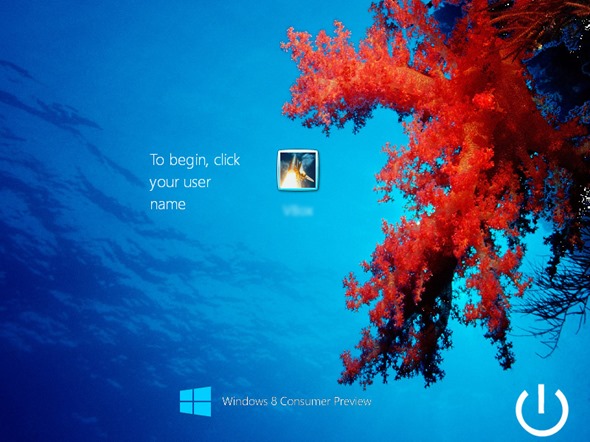
Windows 8 Theme Pack For Windows XP, Vista, 7 [Transformation Pack]


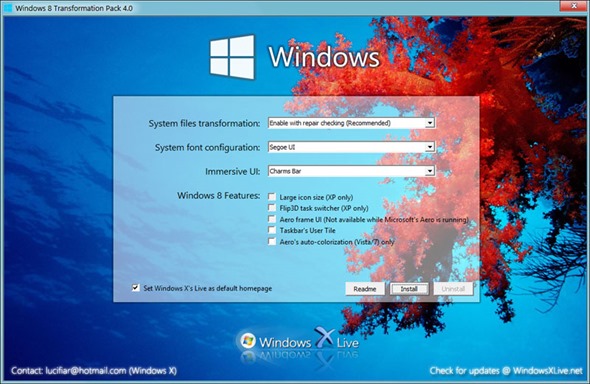
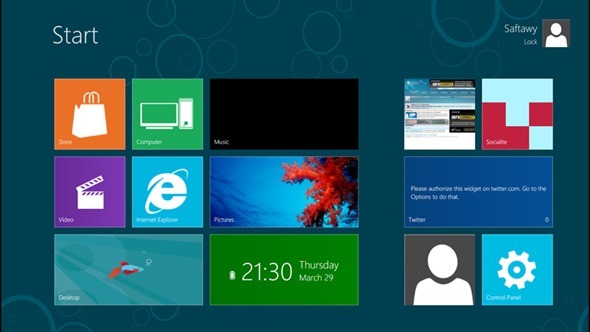
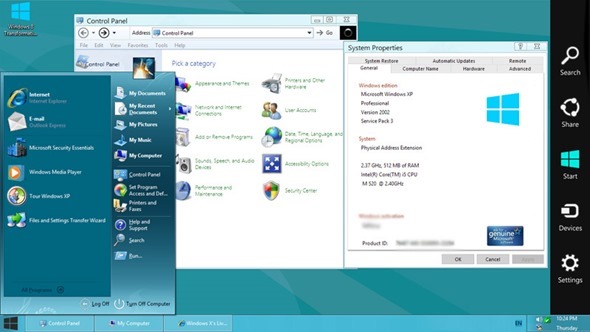
If you’ve not yet gotten around to downloading and installing the Windows 8 Consumer Preview, the Windows X guys have compiled an update to its Windows 8 Transformation Pack.
As the name suggests, the Transformation Pack essentially morphs any XP, Vista or Windows 7 PC into a Windows 8 lookalike. Updated to 4.0, the latest version adds the Segoe seen in Windows 8 CP to add further authenticity and realism. In addition, the Charms Bar has been introduced for those unable to get the full UI working properly.


As well as the Transformation Pack, the Windows X Team has also created the Windows 8 UX Pack 4.0, designed with Windows 7 users in mind. The advantage of the Windows UX Pack is that it offers the Windows 8 look and feel without modifying any system files (which the Transformation Pack does). However, after taking on board user feedback, the Windows X Team does stress that the Transformation Pack is now more safe and reliable than it has ever been
For those still skeptical about downloading and testing out the Consumer Preview, I’d highly recommend – if you have a vested interest in future versions of Windows – that you give it a whirl. I have been using it for over a month now, and certainly think it’s a step in the right direction.
Some have criticized Metro as a more-tablet suited implementation which, whilst somewhat true, doesn’t necessarily mean the tiled interface doesn’t have a role to play at desktop level. As tablets and computers become one in the same, elements are likely to crossover in this way, and I believe the market will quickly become accustomed to the changes.


Reports suggest the Release Candidate of Windows 8 will make an appearance this summer – around the time Apple is expected to drop Mountain Lion – another amalgamation of tablet and desktop interface. The Release Candidate should present us with a very strong idea of what the final build will look, feel and handle like when released to the end-user. Of course, these reports are unconfirmed by Microsoft, so we’ll have to wait for an official word to be certain, but with progress having gone rather swimmingly since the Developer Alpha back in September, don’t be too surprised if the Redmond-based software maker updates us with something noteworthy in the near future.


Download Windows 8 Transformation Pack

Monday, 5 August 2013

Awesome Floating Twitter Bird Widget For Blogger


Time to add something new, different, colorful, floating, bird of twitter with Follow Us on Twitter text in it. Because of floating this widget become popular and almost every person who uses the blogger and run a blog is using this widget. This widget allows your daily visitors to easily check your twitter profile without loading or without scrolling down or up. This widget also increases your followers and also drive as more traffic as you think. This widget is not locked as other peoples have said that it is a floating, colorful, dashing, beautiful, and locked. So, one thing to tell you that can adjust it by changing its position. In this widget the bird in standing on a tree bush and in this tree bush the Follow Us On Twitter is written in white color.


Advantages of This Great Widget :

  • It Floats.
  • It gives you more followers.
  • I have used alt and title attributes in this picture of the widget which has twitter bird with follow us on twitter in it.

How To Add This Widget To Blogger :

  • Go to Blogger >> Layout >> Add a Gadget.
  • Select HTML/Java Script.
  • Copy The Code Below.
  • Save The Gadget.
     
    ...........................................................................................

 Customization :

  • Change 15% with your own position to adjust this great widget if you want to.
  • Change pctoxicnet With Your Twitter username.

If you have a problem leave a comment......

Thursday, 11 July 2013

Keyboard Dancing Led Light Trick


Today i will be showing you an interesting trick which will let your keyboard led light to dance. Basicly we will be creating a vbscript to make caps lock, num lock and scroll lock to perform this trick. So lets get started.

Friday, 5 July 2013

How to Speed Up Your Computer With Overlock


1. Ope Bios Programming Window.

2. Open the Frequency / Voltage Control Menu.

3. Enable CPU Host Clock Control.

4. Then You can see clock speed of your Computer and press ENTER on it.

5. Then you can see another window and give a higher speed to it.

6. Then save it to bios by pressing F10 button.


NOTICE
Do not use this feature many times.....

Thursday, 4 July 2013

3 Ways to download Torrent files From IDM


Torrents are one of the globally popular way to download extremely large files. Torrents provide download speed upto the normal downloading speed without any file corruption. Any time Stop and resume with high security also its additional feature. If more people seeding the torrent you will get more speed. Consider there are 100 seeders for a particular torrent, which means those 100 users are sharing their bandwidth which enables you to download torrent with outstanding speed.

What to do is there are not enough seeders while you downloads a large file? Probably it makes the downloading speed very low. In order to overcome this situation you can make use of online torrent clients which allows you to download file in any of the downloader including Internet Download Manager (IDM).  

Today we are discussing about 3 websites which catches torrents and allows you to download the file directly on your favorite Download Manager. 


Zbigz is one of the popular bittorrent client allows you to download Torrent files in any Download Manager or Within Web Browser. You can either paste the torrent magnetic link or upload torrent file directly.


This is free and easy tool to download torrents very fast. Basically zbigz is a gateway between you and data server. Zbigz gives better result in Three Fourth of the time, but needs some skills in network configuration at some rare time. Apart from free users they provides better solution for premium users. Premium user payment is as low as 10$ a month. 


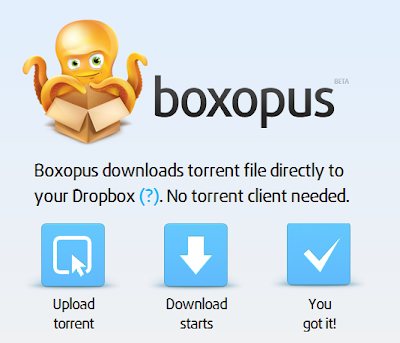
The Basic Concept behind boxopus is same as that of zbigz. You just need to upload the torrent file. One problem of boxopus that zbigz is you need an dropbox account for downloading files from boxopus. 


If you don't have any dropbox account make one from here. Create Dropbox Account Free
Then you need to install dropbox on your PC. Whenever you do a download from boxopus it get start download file to your hard disk and then get moved to your Dropbox folder.


3. Torrenthandler.com

Unlike boxopus and zbigz there is another more option in Torrenthandler which enables you to download torrent file by searching on mininova.org which is a large torrent file holder. Apart from this you can upload torrent files and put torrent links to download the torrent using IDM and other Download Managers. 


Torrenthandler doesn't decreases the direct download speed. If any speed capping i may only due to ISP problem. It is possible to download torrent files using IDM with a speed of 5 MB/Sec if your broadband bandwidth allows it.

If you have any doubt regarding download torrent files please put a comment below. We will reply within hours.


Tuesday, 18 June 2013

HACK / STEAL WIFI PASSWORD VERY EASILY


පහසුවෙන්ම වයි ‍ෆයි මුරපද හැක් සහ සොරකම් කරගන්නා ආකාරය


If you are living nearby someones WiFi hotspot and every time your laptop search for connection its showing up but you don't have passwords. Or you just want to grab someones WPA/WPA2 Wi-Fi hotspot key or passwords. Don't worry...


ඔබ ජීවත් වන්නේ කාගේ හෝ වයි ෆයි හොට් ස්පොට් 1ක් අසලද?

ඔබගේ ‍ලැප්ටොප් පරිඝණකයෙන් වයිෆයි සබදතාවක් සෙවීම අරම්භ කල පසු සබදතාවය පෙන්නුම් කලත් එයට සම්බන්ධ වීමට උත්සහ කල විටදී මුර පදයක් ඉල්ලා සිටීනමුත් ඔබ ලග එම මුර පදය නොමැත……

නැතහොත් ඔබට කාගේ හෝ WPA/WPA2 Wi-Fi හොට් ස්පොට් මුර පද ‍සොයා ගැනීමට අවශ්‍යද?
වද වෙන්න එපා මෙන්න එයට පහසු, සරල විසදුමක්.....

Friday, 31 May 2013

How to speed Firefox, Chrome and Skype

ෆයර්ෆොක්ස්, ක්‍රෝම් ස්ලෝ වෙලාද ? 3 ගුණයකින් වේගවත් කරගන්නෙ මෙහෙමයි


ෆෝමැට් කර බ්‍රවුසරයක් ස්ථාපනය කළ පසු එක ඉතාමත් වේගයෙන් වැඩ කරනවා. නමුත් කාලයගේ ඇවෑමෙන් විවිධ ඇඩෝන, ප්ලගින්ස් හා අපේ බ්‍රවුසර් හිස්ට්‍රි එක ආදී කරුණු නිසා එය මන්දගාමී වෙනවා. කෑෂ් හා හිස්ට්‍රි ක්ලියර් කළත්, ඇඩෝන ඉවත් කළත් එය නැවත යතා තත්ත්වයට පත්වීම සිදු වන්නේ නැහැ. නමුත් මන්දගාමී වුන Google Chrome හා Mozilla Firefox බ්‍රවුසර් නැවත තුන් ගුණයකින් වේගවත් කරගන්න පුළුවන් ක්‍රමයක් තමයි මේ.


Monday, 27 May 2013

පාස්වර්ඩ් ටයිප් නොකරම පෙන් එකෙන් පරිගණකයට ලොග් වෙන්න


පරිගණකයේ වැඩි ආරක්ෂාවට හා අපේ ෆයිල්ස් වල වැඩි ආරක්ෂාවට
අප පරිගණකයට පාස්වර්ඩ් එකක් දමා භාවිතා කරනවා. මෙවැනි
අවස්ථාවල අප භාවිතා කරන්නේපහසුවෙන් අන් අයට තේරුම් ගත
නොහැකි ආකාරයේ පාස්වර්ඩ් එකක්. නමුත් යම් හදිසි අවස්ථාවකදී
එම පාස්වර්ඩ් එක අපට ටයිප් කර ගැනීමට අපහසුයි. පරිගණකය ලොක්
කරන සෑම අවස්ථාවකම නැවතත් දිගින් දිගටම මේ ආකාරයට පාස්වර්ඩ්
ටයිප් කිරීම කරදරකාරී ක්‍රියාවක්. ඉතින් මේ අප ඉදිරිපත් කරන ක්‍රමවේදය
මගින් පාස්වර්ඩ් ටයිප් කිරීමේ කාර්‍ය ඔබේ පෙන් ඩ්‍රයිව් එකට භාරදෙන්න
පුළුවන්. ඔබ කළ යුත්තේ පාස්වර්ඩ් එක ටයිප් කරනු වෙනුවට පෙන් ඩ්‍රයිව්
එක සම්බන්ධ කිරීම පමණයි.