Subcribe to our RSS feeds Join Us on Facebook Follow us on Twitter Add to Circles
Showing posts with label Android Apps. Show all posts

Wednesday, 25 September 2013

Next Launcher 3D v2.01 [Latest] || Full Version


Next Launcher 3D play.google.com.nextlauncher
Next Launcher is a new launcher application which is full of glorious 3D elements and dynamic effects. Fancy 3D visual elements, gorgeous transition effects and humanized gestures bring you a unique and splendid operation experience and visual enjoyment.

Features:
  • Various operation for icons: icons support rotation, reset, select, align and so on. Operation is easy and fantastic.
  • Unlimited screen layout: placing icons or widgets randomly which forms your own home screen.
  • Stereoscopic screen preview: lots of screen display effects, dazzling animation of screen switching about adding or deleting screen.
  • Quick screen management: adding different kinds of elements in screen edit including application icons, folders and widgets. It’ll support changing wallpapers and themes soon.
  • Rotatable dock: inverting upward or downward the Dock can quickly switch among home screen, screen edit and screen preview.
  • Powerful app drawer: icons can be arranged by names or by time, and folders can be created by overlaying icons. Batch mode and operation of adding apps to screen are also available. 
  • Beautiful scrolling effects: a variety of app drawer scrolling effects that provide a distinctive screen switching experience.
  • Fancy 3D widgets: 3D widgets that are based on Next Launcher are coming soon!
Tips:
  • Please make sure your device has installed Google Play.
  • Phone performance:Android 2.3.3 and up; Dual-core models is better.
  • Suggestion:Watch the video of Next Launcher first, to know about the cool operation of the product.
  • Notice: We suggest users which use Galaxy Nexus don't remove the Menu icon.
What's in this version: (Updated : Sep 6, 2013)
  • (New) Home button gesture(Next key->Gestures)
  • (New) Home-dock (Click Menu->Preferences->Dock settings)
  • (3D scene) Change the size of widgets
Required Android O/S : 2.2+

Screenshots :


Download : 12.5Mb APK


Download

click to begin

10.73MB .zip

Monday, 26 August 2013

Sri Lankan Train Time Schedules Android App || Free Download


Desciption:
Simple and fast application to retrieve the Sri Lanka Railway Train schedule.
Retrieves' results as quickly as possible with minimum effort.


Features:
Features:
1. Auto complete station names.
2. Search the full schedule/trains departing with a given time period or next scheduled train
3. Last 5 searches are saved as search history.
4. Save frequently used search parameters to favourites (In search view as well as results view).
Searches can be saved to favourites (while in search tab or results view) by tapping menu key->"Add to favourites".
5. Rename/Delete Favourites by long tapping on an item.
6. Send/Share a search result with friends.

Icons & Market Graphics by my good friend Ranganath.


Note:
Train schedule data is read from ICTA's railway service API.(http://mobile.icta.lk/services/railwayservice)
Please note that the application displays train timetable data received from the government server, which are sometimes inaccurate which is beyond my control.


Source Code available at:
http://code.google.com/p/sl-train-schedule/

Download From Android Market:

Download

click to begin

Google Play


Snapshots: 
 

Saturday, 3 August 2013

RAM Manager Pro v5.1.0 Android App Full Version

COMPATIBLE WITH ICE CREAM SANDWICH, TOO!

RAM Manager Pro play.google.com.RAMOptimization
This application optimizes the RAM of all android devices and gives you better performance. We tested and we're still testing the best RAM balance which makes your system as fast as possible. This application improves perfomance of your device in all directions.

ROOT IS REQUIRED!!!


Switching between applications is very fast, your system will be smoother then ever before. You can fully use your multitasking and you still have as much memory as you need.


Features:
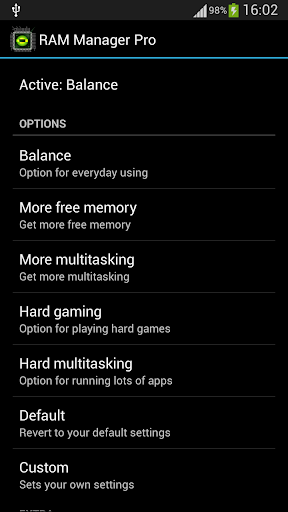
  • Balance - Option which makes your RAM to the best optimization, this option is for everyday using. Use this option when you want to have fast phone without lags.
  • Balance (More free memory) - This option is nearly the same as Balance, but this option should be advantageous for users who have more RAM than 512 MB. This option gives you more free memory but a bit reduces multitasking.
  • Balance (More multitasking) - This option is nearly the same as Balance, but this option should be advantageous for users who have less RAM than 512 MB. This option gives you more multitasking, but a bit reduces free memory.
  • Hard Gaming - Option which stabilizes your RAM for playing hardest games. Use this option for games which lag on your phone. Your games will run smooth without lags.
  • Hard Gaming (Less aggressive) - This option is similar to Hard Gaming but should be better for devices with RAM lesser than 512MB.
  • Hard Multitasking - Option for users which are really hard working on their phones. You can have a lot of running apps and quickly switch between them without lags.
  • Default (Samsung) - Default settings by Samsung, these settings are also used by LG, HTC, etc.
  • Default (Nexus S) - Default settings which are used by all Google devices.
  • Default - This option reverts your RAM to your default settings, which you had before you installed this app.
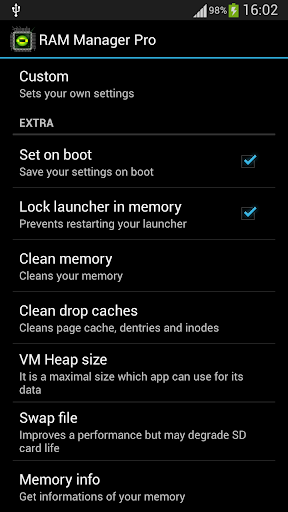
  • Lock launcher in memory
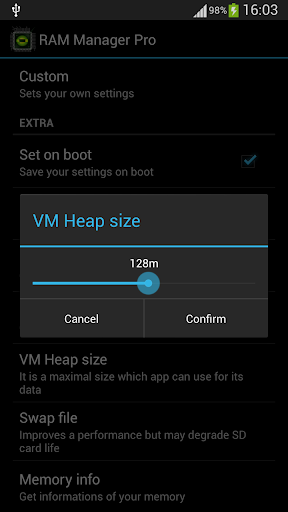
  • VM Heap size
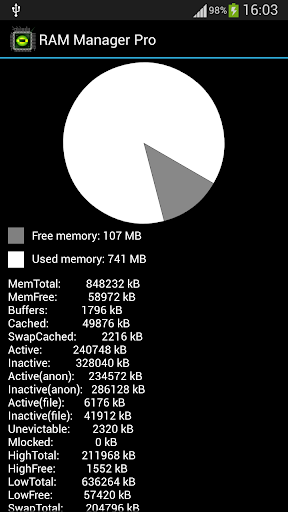
  • Memory info
  • Free memory meter
  • Charging limit (only works on some kernels)
  • Widget
  • Chosen option is automatically set on each reboot.
  • You can easily switch between all options without rebooting.
This application is the best solution for all who have problem with free memory, with multitasking, with slow swapping between applications or with slow performance of your device. I recommend to use this application to everybody who wants have better phone, because this application increases speed of your phone and other parameters which depend on RAM.

What's in this version : (Updated : Aug 2, 2013)
  • Added Spanish language
  • Added Turkish language
  • VM Heap size option was enlarged to 512m
Required Android O/S : 2.1+

Screenshots :


Download : 250Kb APK


Download Ram Manager

If You Have a matter please leave a Comment........

Sunday, 21 July 2013

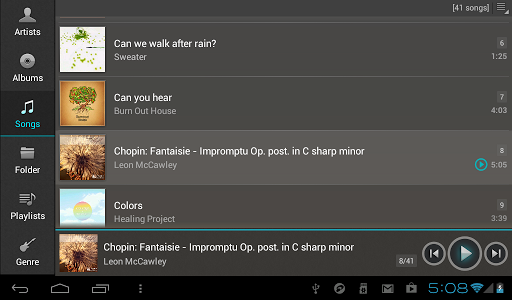
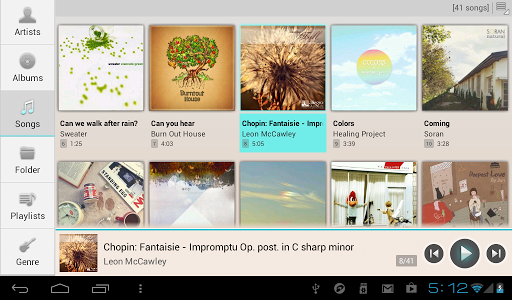
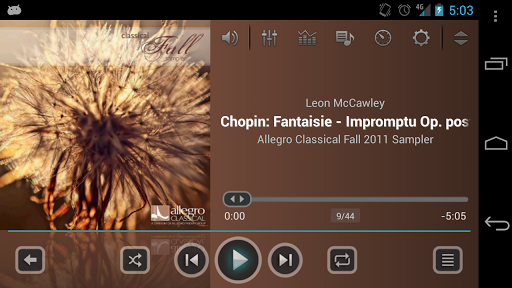
JetAudio Music Player Plus v3.2.2 Android App


jetAudio Plus play.google.com.jetaudioplus
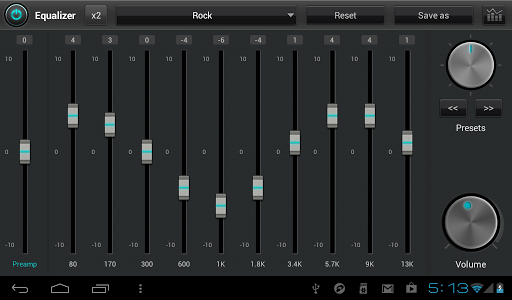
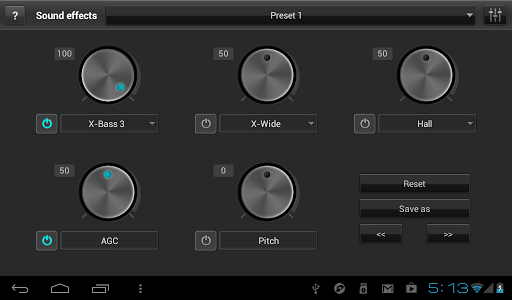
jetAudio is a music player with Wide/Reverb/X-Bass and 10 bands EQ
jetAudio for Windows is the highest rated and most downloaded media player on CNET.COM and, now you can listen to same high-quality sound on your Android phone using jetAudio.


It plays almost any type of digital music files you have (.wav, .mp3, .ogg, .flac, .m4a, .mpc, .tta, .wv, .ape, .mod, .spx and more) and, it provides a very high quality sound with various effects and enhancements such as Wide, Reverb, X-Bass.
It comes with 32 equalizer presets that will provide a wide array of listening experience.
For those who would like to customize their own sound experience, it also allows 10 bands graphic equalizer and other advanced playback functions including playback speed control, crossfading, AGC and much more.

Features:
  • 10-bands graphic equalizer with 32 presets
  • Wide, Reverb, X-Bass sound effects
  • AGC (automatic gain control) to avoid volume fluctuations between tracks
  • Speed control from 0.5x to 2.0x (pitch adjusted)
  • Crossfading, Gap-less playback
  • Fade-in/Fade-out
  • Browser and play music by artits, albums, songs, playlists and folders
  • Balance/Volume control
  • Sleep timer up to 24 hours
  • Flick up to post what you're listening to on Facebook/Twitter
  • Flick down to show Now Playing
  • Flick left/right to play next/previous

Supporting formats:
  • MP3, WAV, OGG, FLAC, M4A, MPC, TTA, WV, APE, MOD (module formats S3M, IT), SPX, AIFF
What's in this version: (Updated : Jul 19, 2013)
  • Fixed playback of some MP3s
  • Fixed Facebook and other bugs
Required Android O/S : 2.3.3+

Screenshots :


 Download : 7.7Mb APK

Download Jet Audio Player for Android
 Please Leave a comment.......

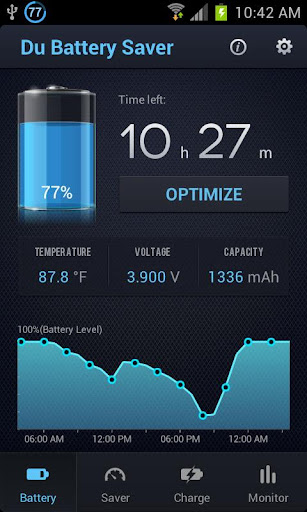
Du Battery Saver+Switch Widget v3.1.0.pro Android App

 
Do Xcellent. For your battery 

Battery Saver Du+Switch Widget play.google.com.dxbs.paid
DX Battery Saver would dispel your worry of the dying battery and free you out of the life tangled by cables!
You deserve a prolonged battery! You can search & try our FREE version before purchase.

Major New Features
  • Revolutionary UI design of main page 
  • Brand new reform of those smart Widgets
  • Whole refactor of Settings page
  • One-key Diagnostic & Auto optimization upon the result
  • More manual optimization offered after diagnostic
PRO Features:
  • One-Key diagnostic, a unbelievable foolproof way of battery saving.
  • Intelligent mode-switching: e.g.
    • adjusted to Long Standby on low battery level;
    • go into your preset mode according to your schedule;
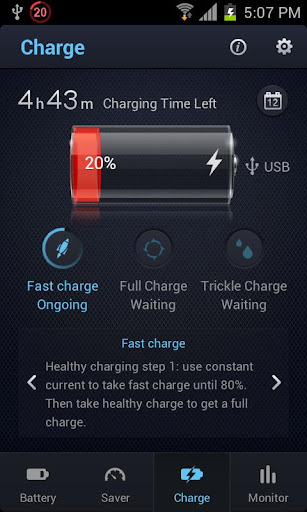
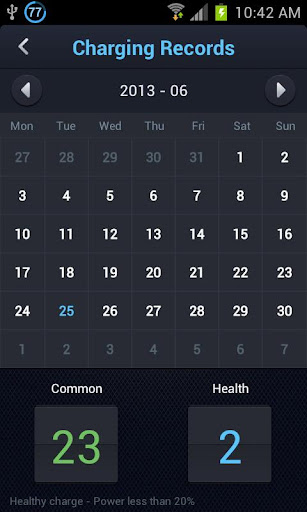
  • Healthy charging to extend battery life. (e.g. hints for charging or de-plugging the charger).
    • launch DX Battery Saver to start charging when battery lower than 20%.
    • At least 1 healthy charge to extend battery life .
  • Regularly closing power-draining tasks;
    • Set the interval of background tasks cleaning;
    • Need to leave some apps running background? Add them into ignore list.
  • Slow down CPU during screenlock; (ROOT devices only);
Classic features:
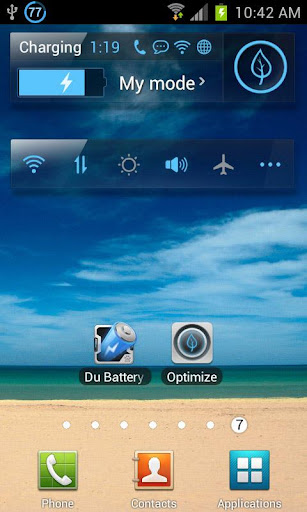
  • 3 new powerful battery Widget s: 
    • One-tap optimizer (task killer widget)
    • NEW designed battery display & mode switch
    • premium ON/OFF switches;
  • It's an easy battery saver by using one-tap battery widget, and extend 15% more usage time by switching battery saving modes, also go with one-tap power widget.
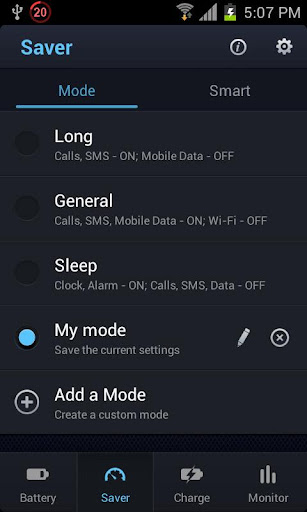
  • Optimizing your battery use in 3 preset Modes: 
    • General Mode(Basic network function opened, meet normal battery saving needs);
    • Long Standby (Close all except dialing and SMS, prolong battery to the longest standby time);
    • Sleep Mode(Close all except clock, save battery a lot while sleeping);
  • Customize your own mode, setup whatever you prefer and find out the most suitable one!
  • Battery indicator, Battery Level in % in Status Bar, will turn to RED when < 20%;
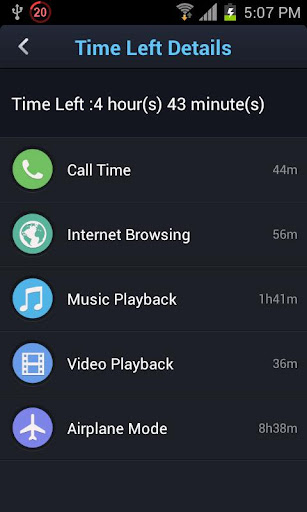
  • Estimated report of the remaining time; 
  • Ringtone reminder for different battery status;
  • Always be a close secretary (or juice defender), reminding you to save more juice and have a 2x battery usage time.
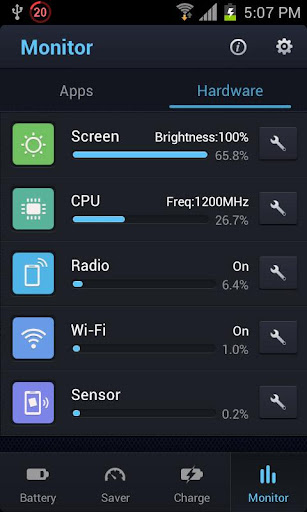
  •  Most detailed analysis of power consumption, not just apps, but also the hardwares (CPU, screen, sensor, WiFi, radio), the most professional battery monitor (battery notifier) so far;
Unlike other battery saving app, DX Battery Saver provides a professional method of battery management by analyzing the power consumption of all the hardware modules, and above all, intelligent tools would be provided for extend battery usage. 

As a battery saver (a.k.a. battery booster / battery improver), it excels its peers!
What's in this version: (Updated : Jul 19, 2013)
  • New, simpler design;
  • More detailed battery information;
  • Better runtime estimates;
  • Improved Charging time accuracy;
Required Android O/S : 2.1+

Screenshots :


Download : 3.4Mb APK


Download Du Battery Saver

Please Leave a Comment........

Thursday, 18 July 2013

Poweramp Music Player For Android (Full with patch) v2.0.9-build-528


Poweramp Music Player play.google.com.audioplayer
2.0is the next major release and a free update for everyone, who purchased PowerAMP Full Version Unlocker.
IMPORTANT: PowerAMP v2.0 has completely independent Library implementation. Please ensure you have all your Music Folders checked in PowerAMP Settings => Music Folders to have all your songs in the Library.


Features:

  • plays mp3, mp4/m4a (including alac), ogg, wma*, flac, wav, ape, wv, tta, mpc, aiff (* some wma pro files may require NEON support) 
  • 10 band optimized graphical equalizer for all supported formats, presets, custom presets 
  • separate Bass and Treble adjustment 
  • stereo eXpansion, mono mixing, balance 
  • crossfade 
  • gapless 
  • replay gain 
  • plays songs from folders and from own library 
  • dynamic queue 
  • lyrics support, including lyrics search via musiXmatch plugin 
  • embed and standalone .cue files support 
  • support for m3u, m3u8, pls, wpl playlists 
  • OpenGL based cover art animation 
  • downloads missing album art 
  • 4 configurable widget types 
  • configurable lock screen with optional Direct Unlock 
  • headset support, automatic Resume on headset and/or BT connection (can be disabled in settings) 
  • scrobbling 
  • tag editor 
  • visual themes, including support for external/3rd party skins 
  • fast library scan 
  • high level of customization via settings 
Changelog (v1.4 => v2.0) :

Audio Engine:
Direct Volume Control for new Android 2.3+ sound system where available. Direct Volume Control results in volume level equal (or higher with positive preamp) to stock player, but with the Equalizer/Tone enabled
re-tuned equalizer/tone controls for Direct Volume Control (gives a larger range of distortion-free sound, deeper basses)
output limiter. Ensures distortion-free sound even on extreme equalizer/tone amplification levels
.mpc, .aiff
replay gain support for all supported formats which support Replay Gain (mp3, mp4/m4a, flac, ape, wv, tta, ogg, mpc)
Stereo X expansion effect
mix-to-mono, balance

Library/Folders:
  • custom complete Library/Media Scanner implementation, 10x-100x scan speed comparing to system library tag scanner 
  • Music Folder hierarchical selection 
  • permanent shuffle. Shuffle session is stored in database and survives PowerAMP restart, phone reboots etc. 
  • Menu => List Opts for almost each Folder/Library list with the sorting, view mode, and other per-list options 
  • playlist unification, no more Folders vs Library playlists 
  • m3u/m3u8, pls, wpl playlist file formats support 
  • playlist export from system Library 
  • embed cue support (flac, wv, ape) 
  • full-library and folders search 
  • history of songs played and other smart playlists (Most Played, Top Rated, Recently Played, Recently Added. Each list can be set to be sorted in Reverse. Enable these lists via Menu => Lists Opts in Library) 
  • rating system. PowerAMP 2.0 stores ratings in own database only 
  • auto-advance options moved from Settings to Advance List repeat mode 
  • new Shuffle modes: shuffle songs then lists; shuffle lists, songs in order 
  • home screen playlist shortcut support 
  • voice search support ("Listen to") 
UI:
  • restyled skins (larger controls, less controls initially visible, expandable menus, bigger album art, etc.) 
  • ability to load skins from Market/apk/jar files 
  • OpenGL cover animation 
  • grid view for folders/albums lists 
  • new Equalizer/Tone and Library layouts 
  • new configurable Lock Screen 
  • new configurable 4x4, 4x2, 4x1, and 2x2 widgets 
  • improved Settings layout and reorganized options 
Other:
  • lyrics download (via separate musiXmatch plugin)
  • more than 100 changes in total and more are coming in the next PowerAMP 2.x releases!
What's in this version: (Updated : Apr 28, 2013)
  • each widget type now have selectable predefined styles and can be further customized/saved/exported/imported/shared
  • widgets can be re-configured by pressing top-right corner (2.2+)
  • 4x4 and 2x2 are now resizable on phones, all widgets - on tablets (3.1+)
  • Disable Route Output Button option
  • Album Art/Use 24-bit RGB option
  • Look and Feel/General/Notification Album Art option for old Androids
  • Arabic (BLueBLaze, mohjif)/Vietnamese (alienyd, robot_boy_tn, thanhtai2009)
  • few issues fixed
Required Android O/S : 2.1+

Screenshots :


Instructions :


1. install lucky patcher
2. install poweramp triall, dont run
3. install poweramp full, dont run
4. open lucky patcher and push in power amp, choose patch by sanx
5. apply and open poweramp, return to lucky patcher and repeat steps 4 and 5
6. in poweramp go to settings and unmark send errors to developers.


 Download : 5.4Mb APK

Power Amp Trial and patch


Download Lucky Patcher


Please Leave a Comment.....

Monday, 3 June 2013

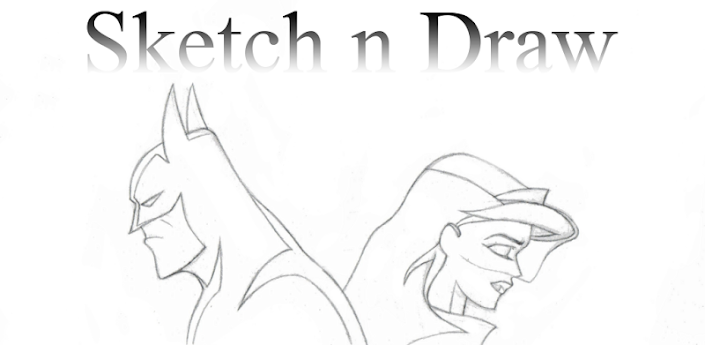
Sketch n Draw Photo Pad HD


Description

Create sketches or edit photos then share them with Instagram, Facebook, Google Plus, GMail, Twitter, SMS and more!Sketch Pad + Drawing Pad HD is a drawing tool that allows you to sketch, paint or draw with your fingers. Create amazing black and white or color sketches with a few simple strokes. Import photos then edit or annotate and share. Choose a color and brush of choice and express yourself. Then save your fabulous creations on your device quick, easy, effortless.
Now Sketch Pad + Drawing Pad HD allows you to import any image via the share button in any image app!
Play guess the drawing with friends and family just pass then play or use it to improve your Draw Something skills!